Shun
状元
Hello Mike,
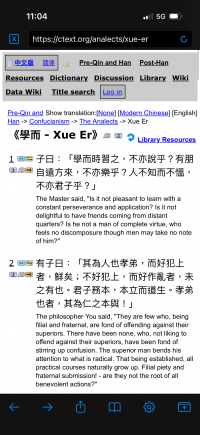
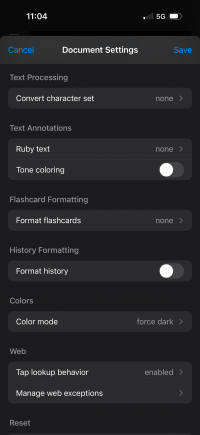
in the Web Reader, the Color mode option "Force dark" does not yet work to enforce dark mode for Web content. The following page remains unchanged after enabling the option:
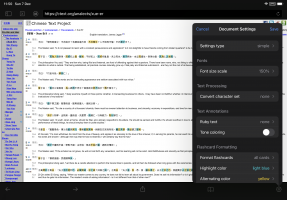
Edit: It also doesn't act on the Font size scale setting:
I know that websites can define font size in many different ways. But browsers like Firefox and Chrome can consistently change the font size, possibly because they have more control over their web rendering engine.
Thanks,
Shun
in the Web Reader, the Color mode option "Force dark" does not yet work to enforce dark mode for Web content. The following page remains unchanged after enabling the option:
Edit: It also doesn't act on the Font size scale setting:
I know that websites can define font size in many different ways. But browsers like Firefox and Chrome can consistently change the font size, possibly because they have more control over their web rendering engine.
Thanks,
Shun
Last edited: