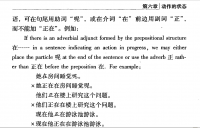
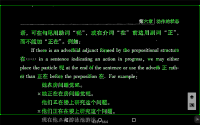
See attachment.
When the screen displays this file and I activate the floating button.
"floating button" captures the english text also.
I think .. I read somewhere .. that only chinese characters are captured ...?
The consequence is .. in "FileReader/ScreenReader" I cannot read the english text because it is "covered" by the "OCRed" ...
Thank you.
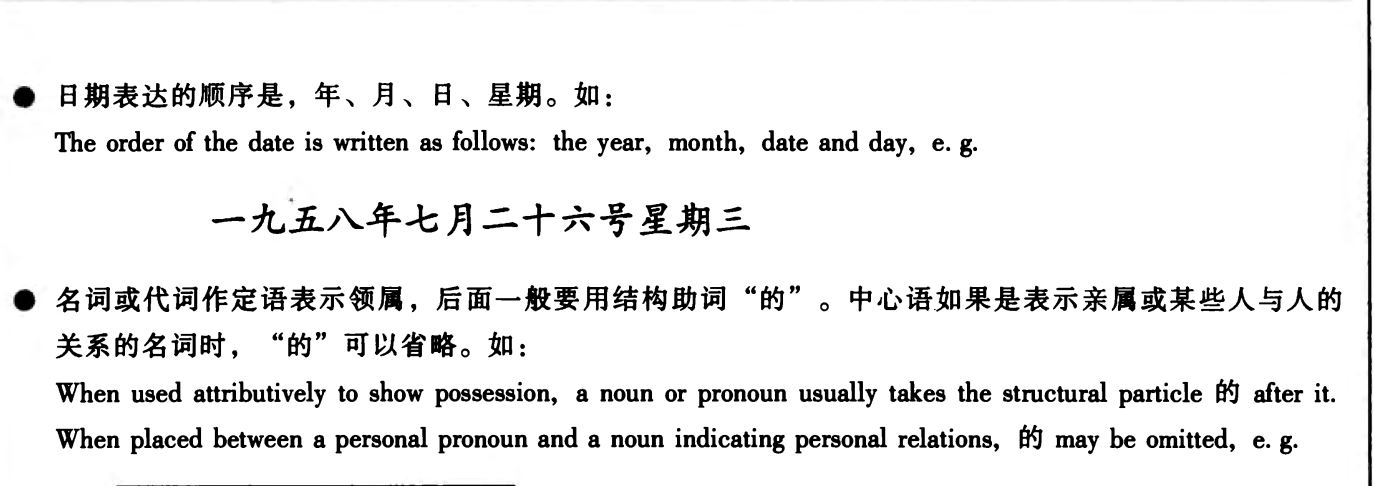
This is with screen OCR? It captures everything, actually. But the English shouldn't be covering up Chinese - is it finding a lot of characters where no characters actually exist?
No ...
I cannot make a screenshot on my tablet Nexus7.
The picture was made in my laptop Dell .. as a visual help to explain my problem with the OCR-floating-button.
When I press the below-floating-button .. a green quadrangle emerges .. with green chinese characters on the original chinese characters AND many green "blobs" on the english words.
These green "blobs" disturb me .... that is the english translation.
Secondly .. when I afterwards touch a chinese character .. then I get a definition f.e. for the 3 characters.
How can I get the definition of each character? ... one after another.
The left/right arrow do not move the definiton-window always 1 (one) character. Sometimes 2 or 3.
The english translation serves me as a compass....
Thank you.
P.S. I like the OCR-floating-button feature very much .. and the Gigabytes audio files!
Hmm, they shouldn't be 'blobs'- do they look like mis-recognized punctuation or some such?
For individual characters, tap on the |<- button to collapse the selection to one character. We don't currently offer an option to go character-by-character through a whole text.
BTW Is there a 'white-paper' about the "Gigabytes Chinese Soundfile"?
Otherwise .. how about "tone sandhis"?
Sometimes I've the impression that Pleco can 'see' the chinese word-boundaries. I'm impressed. I cannot.
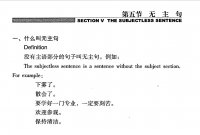
BUT in the OCR-Screenreader .. Pleco tells me that .. Di4Wu3 is "a two-character surname" (PLC) and jie2 is "festival" (TL) but wu2zhu3ju4 is "subjectless sentence". (ABC) Waw...! .. Pleco is like a driveless Tesla....???
See picture "fifth section - the subjectless sentence" .... above right
To avoid such gaffe .. can I change settings? .. or .. I cannot do anything ..???
Thank you.
I changed the order of the dictionaries.
Now Pleco tells me that diwu = the fifth .. and jie = .. section .. and wuzhuju = subjectless sentence..
That problem is solved.
BTW ..
the "green area" .. right-below there are <- and -> signs.
When I touch it .. then the cursor jumps to another OCR-ed 'chinese' word .. displays the difinition window .. and reads aloud one chinese word.
Where is the toggle to switch this audio on/off?
I've search in the "thousands" of Pleco's settings ... I'm confused .. I cannot find it...
Where is the toggle?
Thank you.
What "block"? ... which "box"? ... and what "area"?
I don't understand what you meant.
I use a PDF-reader app to display the pdf-file .. see the pdf-file in the attachment.
It's from CCTV.
Then I touched the below-floating-button.
You'll see the screen-shot on the tablet in the attachment.
Can you please try it with your android-tablet and make the screen-shot afterwards ... and show me the screenshot?
Maybe I'll understand ...
Thank you.
BTW .. the previous picture was made on the windows10-laptop .. a screenshot from my tablet plus the pdf-file on pdf.exe
Drag the corners of the box so that the box only encloses that bit of un-recognized text, nothing else; that should get it to recognize that bit of text for you.