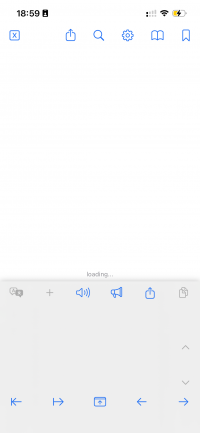
When opening documents in the reader, I played with the option "Lock Reader to bottom" as it provides a separate screen for dictionary details for each character.

This works as expected.

But when I close the document and re-open it, it remains in state loading and it never completes.

After switching off "Lock reader to bottom", the document opens again.
I first tried a word document my teacher provided but behaviour is same for all word documents.
It does not happen with text files.
Tried this both on
- iPhone 13 - IOS 26.4 - 3.99.1.44.2
- iPad Air 4th gen - IOS 26.4 - 3.99.1.44.2
This works as expected.
But when I close the document and re-open it, it remains in state loading and it never completes.
After switching off "Lock reader to bottom", the document opens again.
I first tried a word document my teacher provided but behaviour is same for all word documents.
It does not happen with text files.
Tried this both on
- iPhone 13 - IOS 26.4 - 3.99.1.44.2
- iPad Air 4th gen - IOS 26.4 - 3.99.1.44.2